Auto Zoom
Auto zoom from real interactions
The zoom follows what you actually do: your clicks, typing, and scrolling, instead of pushing in at random. Adjust, add, or remove any of it in the editor.
clicktypescrollzoom
Every click zooms in for you — so every viewer looks exactly where you want.
Record a browser tab with auto zoom, a smooth cursor, and an optional camera, then export WebM, MP4, or GIF — all on your machine.
Record once, with almost no setup and no timeline to wrestle with afterward.
Choose a source
Pick the tab you want to demo. Browser Tab is the recommended source, and tab audio is optional.
Walk through your product once. FocusTake captures the cursor, clicks, typing, scrolling, and URL changes — and can record your camera and voice at the same time.
Those interactions turn into zoom moments on their own, so the view follows the action. No keyframing by hand.
Tune the background, layout, cursor, and motion in the local editor, then export a clean WebM, MP4, or GIF straight from your machine.
A focused tool for browser demos. It isn't a full video editor or a general-purpose recorder, and it doesn't try to be.
The zoom follows what you actually do: your clicks, typing, and scrolling, instead of pushing in at random. Adjust, add, or remove any of it in the editor.
Shaky mouse movement gets smoothed into steady, readable motion, so a walkthrough looks closer to a studio recording than a raw screen grab.
Add a camera and voice overlay while you record a browser tab. Position, resize, mirror, or reshape the camera bubble in the editor — or hide it entirely.
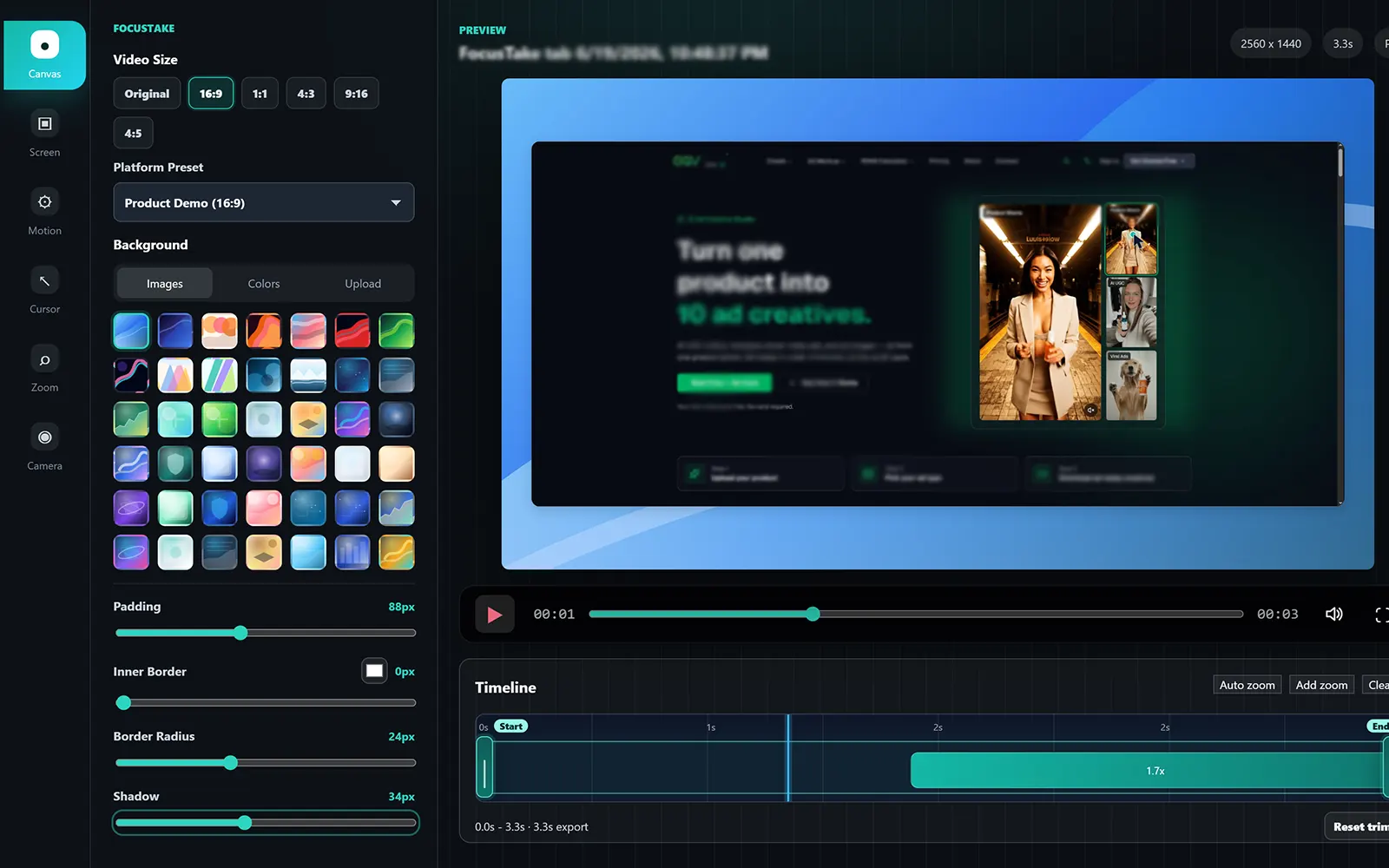
A tool rail on the left, preview and timeline in the middle, export panel on the right. The controls for background, layout, cursor, motion, and zoom are packed in but stay readable.
Set background, aspect ratio, padding, corner radius, and shadow to frame the capture for YouTube, X, TikTok, or a docs embed.
Render the final video on your own device as WebM, MP4, or a short GIF. Nothing is sent through a cloud editor, so the recording stays with you.
What a browser-tab–first recorder does that generic capture doesn't.
Same recording engine and editor. Pro lifts the resolution cap to 2K & 4K and removes the export watermark.
For trying FocusTake and grabbing quick clips.
For demos you're ready to share.
Recording, editing, and WebM, MP4, or GIF export happen on your device. Chrome access supports tab recording and interaction-based effects.
A quick look at what shipped recently.
Straight answers about what FocusTake does.
Yes. FocusTake is a Chrome screen recorder extension built for product demos: it records a browser tab, adds auto zoom and a smooth cursor, and exports WebM, MP4, or GIF locally. You can also record the entire screen or an application window as a plain recording.
Yes. FocusTake exports WebM, MP4, and GIF locally. WebM is the default; MP4 is easy to share anywhere, and GIF works well for short clips.
Yes — you can record the entire screen or an application window as a plain recording. FocusTake is built around the browser tab, though: the enhancements (auto zoom, event capture, smooth cursor, and the camera overlay) apply to Browser Tab recordings.
Yes. Recording, editing, and export happen on your device, so your capture stays with you. Pro activation uses a secure license check.
A local Pro license unlocks 2K and 4K export and removes the watermark. Free exports up to 1080p with a watermark; length and bitrate controls are available either way.
FocusTake is a Chrome extension and runs on Chrome. Chrome access supports tab recording and interaction-based enhancements.
It watches your interactions (clicks, typing, scrolling, selection, and URL changes) and turns them into zoom moments you can adjust, add, or remove in the editor.
Install the Chrome screen recorder extension and turn a tab recording into a clean WebM, MP4, or GIF, all on your machine.