A focused tool for browser product demos
FocusTake takes a single browser-tab recording and turns it into a clean demo you can share, without the editing afterward.
Most product demos die in the edit. You record a walkthrough, then lose an hour adding zooms, smoothing the cursor, and cropping the frame. FocusTake does that part from the recording itself, so you record once and you're basically done.
What we're building
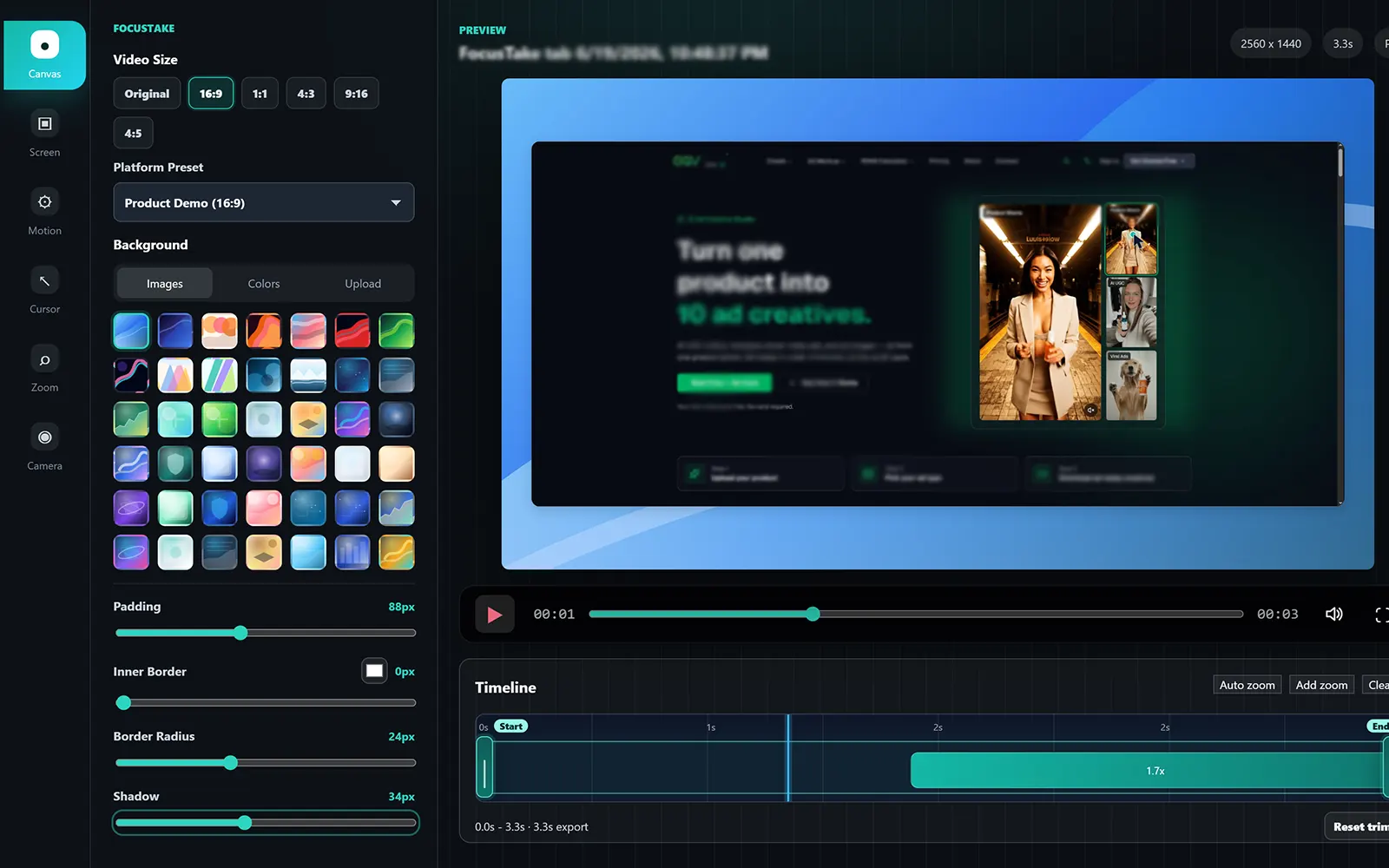
FocusTake is a Chrome extension. It records a tab you choose and turns your interactions into automatic zooms and a smooth cursor. Refine the framing in the local editor, then export WebM, MP4, or GIF on your machine. It's for founders, indie hackers, product marketers, SaaS and support teams, and creators who need a demo to look good without a lot of time.
What we care about
One take
Almost no setup and no editing maze. Record your product once and let the zoom find the focus.
Local-first
Recording, editing, and WebM, MP4, or GIF export all run on your device.
Built for product demos
Made for browser apps, SaaS walkthroughs, changelogs, and tutorials, rather than generic screen capture.
Honest about scope
We describe what the current build actually does, and we flag experimental or future work as exactly that.
Where the product is today
FocusTake is early and moving fast. Here's what's available now and what we're exploring next:
Available now
- Browser-tab recording with optional tab audio
- Plain Entire Screen and Application Window recording
- Optional camera overlay for Browser Tab recordings
- Auto zoom from clicks, typing, scrolls, selection, and URL changes
- Smooth cursor overlay
- Local editor for background, layout, cursor, motion, and zoom
- Local WebM, MP4, and GIF export
Exploring next
- Auto zoom and enhancements for screen and window capture
- Cloud and collaboration features
Record a focused demo
Install the Chrome extension and turn a tab recording into a polished WebM, MP4, or GIF on your machine.